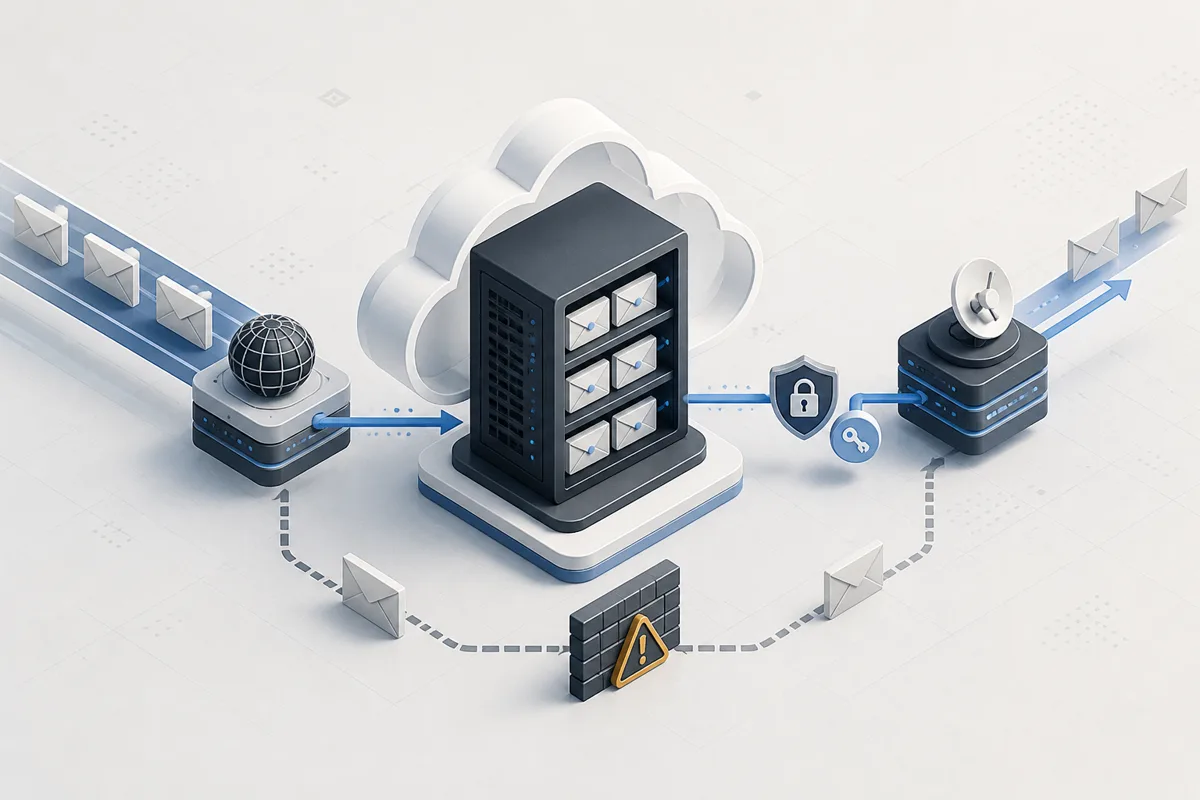
Life was going a little too peacefully. I had Azure student credits, a domain, and a Gmail address that worked perfectly fine. Nothing was broken and nobody had asked me to do anything, so obviously I decided to set up my own mail server.
I wanted [email protected] because it looks cool. That was the entire business requirement—no company, no team, no customer, just me wanting an email address that says “I am professional” while spending a Saturday learning why people pay Google to deal with this. Normal people buy Google Workspace. I opened an Azure VM instead. This is how a cool email address became Mailcow, Docker, Cloudflare, reverse DNS, an SMTP relay, and several moments where I stared at a terminal like it had personally betrayed me.
Step 1: acquire a very small computer and too much confidence
Mailcow wants RAM. A respectable amount of RAM. I did not want to spend a respectable amount of Azure credits. This was not going to be a real company server where 50 people send final_final_v7_REALLYFINAL.pdf every day; it is for me. Just me. I built an entire post office for one guy and a few aliases I will probably forget exist.
So I chose this little guy in Malaysia West:
Size:     Standard_B2als_v2
CPU:      2 vCPU
RAM:      4 GB
Swap:     4 GB
Disk:     32 GB
Four gigabytes is not Mailcow’s dream. It is Mailcow’s “we will make this work, but do not tell anyone” situation. Mailcow runs Postfix, Dovecot, SOGo, Rspamd, MariaDB, Redis, certificates, and enough Docker containers to make a tiny VM start seeing visions, so I added 4 GB of swap. I would rather the server become slow for a minute than watch MariaDB get selected for elimination. I also reserved a static public IP, because mail DNS needs your IP to stay in one place. If it changes, your MX record still points at the old one and your emails begin a spiritual journey.
Step 2: install an entire post office for one guy
Mailcow is not an app. It is an entire email department living inside Docker containers.
- Postfix receives and sends mail.
- Dovecot stores mail and gives me IMAP.
- SOGo gives me webmail, contacts, calendars, and a UI that makes me feel like I have employees.
- Rspamd fights spam and handles DKIM.
- MariaDB and Redis do important mysterious things in the background. I respect them from a distance.
The installation was surprisingly normal, which should have made me suspicious:
git clone https://github.com/mailcow/mailcow-dockerized /opt/mailcow-dockerized
cd /opt/mailcow-dockerized
./generate_config.sh
docker compose pull
docker compose up -d
I gave it the hostname mail.mishalshanavas.in, set my timezone, and asked Let’s Encrypt for a certificate. Let’s Encrypt responded with the reasonable question: “does this domain actually point to your server?” At that moment it did not. I added the DNS record, opened ports 80 and 443, and suddenly I had these:
Admin:   https://mail.mishalshanavas.in
Webmail: https://mail.mishalshanavas.in/SOGo/
I logged in, saw a real webmail dashboard, and felt like I had beaten email. I had not beaten email. Email had merely loaded the tutorial.
Step 3: Azure discovers my plan and says absolutely not
I sent a test email to Gmail. It did not arrive. Mail servers normally send outgoing email on port 25, but Azure for Students blocks outbound port 25. My server could receive mail but could not reply to anyone, so I had successfully built the internet’s most advanced ghosting machine. Azure does this because spam: if every fresh student VM could send mail directly, every inbox on earth would get 800 crypto giveaways before breakfast. Annoying? Yes. Fair? Also yes. But I had already installed half a post office. Giving up would mean admitting the sensible people were right, and that was not an option, so I brought in SMTP2GO.
Instead of Postfix sending mail straight to Gmail, it now passes outgoing mail through SMTP2GO using port 587 and STARTTLS:
Mailcow still receives and stores my mail. SMTP2GO does the scary “convince Gmail this is not spam” part; it already has the reputation, while I have an Azure Student account and vibes. Then the Gmail test email arrived. I stared at it for an unnecessarily long time. It felt less like receiving an email and more like seeing a wild animal accept food from my hand.
Step 4: DNS becomes my full-time employer
Cloudflare already hosted my DNS, so I went there to add the records. This is the point where every record name starts looking like someone headbutted the keyboard. The first rule was simple: the mail subdomain must be DNS-only. Cloudflare’s orange cloud is for web traffic; SMTP does not care about your orange cloud and has no appreciation for design.
These were the important records:
mail.mishalshanavas.in        A       <Azure static IP>
mishalshanavas.in             MX 10   mail.mishalshanavas.in
em772292.mishalshanavas.in    CNAME   return.smtp2go.net
s772292._domainkey...         CNAME   dkim.smtp2go.net
dkim._domainkey...            TXT     <Mailcow 2048-bit DKIM key>
_dmarc.mishalshanavas.in      TXT     v=DMARC1; p=none; ...
Yes, there are two DKIM records. I did not accidentally duplicate something at 2 AM. There are two mail-sending situations:
- Mailcow owns
dkim._domainkey. - SMTP2GO has a DKIM CNAME because it is actually relaying the mail I send.
SMTP2GO also gave me a return-path CNAME. That helps SPF alignment, so I removed the old SPF record from when the domain used Spaceship forwarding. Keeping it would be like having two people yell different directions while you are trying to park. For DMARC, I started with this:
v=DMARC1; p=none; rua=mailto:[email protected]; adkim=s; aspf=sp=none means “send me reports, but do not start rejecting things yet.” I was one wrong record away from blocking my own email, and I did not need to become my own spam filter on the first day.
Step 5: the MX record swap, also known as do not mess this up
My domain was already using Spaceship MX records for forwarding. I wanted Mailcow to receive new mail, but deleting the old records before the new setup worked would be the digital equivalent of jumping out of a boat before checking if the next boat is there. So I tested everything first:
mail.mishalshanavas.inloaded over HTTPS.- Mailcow had a valid Let’s Encrypt certificate.
- SMTP2GO accepted the relay connection on port 587.
- A real test email reached Gmail.
Only then did I replace the old MX records with:
MX 10 mail.mishalshanavas.inNow incoming mail does this:
Changing DNS is easy. Changing DNS while people may be emailing you is like defusing a bomb, except the bomb is just your aunt asking why you have not replied.
Step 6: reverse DNS, because apparently the paperwork was not enough
I also set the Azure IP’s reverse DNS / PTR record to mail.mishalshanavas.in. Forward DNS says the hostname points to the IP; reverse DNS says the IP points back to the hostname. When they match, the server looks intentional instead of like a VM that woke up one morning and decided it was an email provider. SMTP2GO is doing the reputation-heavy outbound delivery, so the PTR record is not carrying this whole operation, but it is still the right thing to set for a public mail host. I had already entered the “might as well do it properly” stage of the project. There is no cure for that stage.
What I have now
My main mailbox is:
I also made this alias:
contact@ forwards to Gmail. It is not a whole second inbox, because I did not go through all this just to create another password, quota, and place to ignore emails for six months. So now I can:
- Send as
[email protected]through SMTP2GO. - Receive mail in Mailcow.
- Use SOGo in the browser or IMAP on port 993.
- Forward
contact@to Gmail. - Pretend I am running a tiny company whenever I look at the admin dashboard.
The next job is backups. A mail server without backups is not self-hosting; it is a very organised way to eventually lose sentimental emails. Mailcow data, the database, and configuration all need to leave the VM regularly. SMTP credentials and temporary Cloudflare API tokens should also be rotated after setup. If a secret has appeared in a terminal, chat, or screenshot, it has served its country. Let it retire.
Was it worth it?
Financially, probably not. Emotionally, also questionable. But I have a cool email address, I learned what actually happens after someone hits “send,” and I now own a tiny mail server that has more moving parts than my original plan had words. Life is no longer peaceful. Mission accomplished.
Built with Mailcow, Azure student credits, Cloudflare, SMTP2GO, and a refusal to leave a perfectly fine Gmail address alone.